Showing posts with label BoxLang. Show all posts

No posts for a wee while

Mike's Notes

I was on holiday for the last few weeks and am back now. There will be no blog posts, newsletters or meetings until Pipi Core is back up and running.

Update 27/05/2026

Lots of surprises. Making rapid progress. The peace and quiet are bliss.

Update 31/05/2026

The problem and solution are how things are named. Pipi auto-generates thousands of code names using multiple pattern languages, and all the naming conventions require many minor fixes for several unexpected reasons after migrating from a developer laptop to a production server environment. Everything else is absolutely fine.

Other naming problems are also being solved now, including:

  • The rapid development of Boxlang by Ortus has brought forward another challenge. Pipi 10 will be migrated to run on top of Boxlang in 2027 to support multiple languages, including C++, CFML, COBOL, Go, Java, JavaScript, PHP, Python, Rust, etc.
  • Future integration with cloud-based LLMs.
  • Future integrations with Office365, Google Workspace, Zoho, LibreOffice, etc.

The common solution is to create standardised naming systems that are simple, stable, robust, schema-based, versioned, self-documenting, and extensible to meet unanticipated future needs.

This is done by replacing code-based naming rules with database-driven ones that can be easily edited in the future via an admin UI.

90% of these names are internal, hidden in the closed core, and how they work and what they are will not be discussed here. The rest will be publicly and fully documented as part of the open-source workspaces for developers to work with.

Update 02/06/2026

I'm changing the disclosure boundary between the Pipi closed-core and open-source workspaces. Previously, "disclose everything unless there is a security reason not to". This is now changed to "disclose on the basis of need to know".

Closed-core accounts for 90% and open-source workspaces for 10% of lines of code, databases, etc.

This will reduce the documentation burden, given Pipi's vast scale. So, the open-source workspaces will be fully shared and documented on GitHub, etc, without restriction. This includes;

  • Standards schema
  • Ontologies
  • Parameters
  • Laws of physics
  • HTML + CSS
  • Algorithms
  • Module DDD models
  • Workflow diagrams
  • Documentation
  • API schema
  • UI code
  • etc

This also means some existing technical documentation about the closed-core will become hidden and only available internally.

Update 07/06/2026

Pipi Core is the IDE used to edit Pipi Core (AKA: which came first, the chicken or the egg?). Temporary UIs have been created and are being used across multiple engines to edit the names in use. This is much faster than directly editing data, which had to be done initially. The next step will be turning auto-generation back on. Once that's done, temporary UIs will be used to build permanent UIs. More automation will then be enabled via the UIs, and so on, as Pipi Core builds itself with a human in the loop.

Update 08/06/2026

The list of code cases available to use now for auto-generated naming, I/O translation, etc with examples, includes;

  • camelCase: userProfilePicture
  • kebab-case: user-profile-picture
  • PascalCase: UserProfilePicture
  • snake_case: user_profile_picture
  • SCREAMING_SNAKE_CASE: USER_PROFILE_PICTURE
  • Train-Case: User-Profile-Picture
  • flatcase: userprofilepicture
  • UPPER-CASE-KEBAB-CASE: USER-PROFILE-PICTURE
  • Sentence case: User profile picture
  • Title Case: User Profile Picture
  • middot·case: user·profile·picture
  • dot.case: user.profile.picture
  • UPPER CASE: USER PROFILE PICTURE
  • lowercase: user profile picture

Update 12/06/20026

Checking that these changes to variable names and internal messaging do not clash with the Gödel Machine.

Update 17/06/2026

The DevOps Engine (dvp) has unexpectedly proven to be critical to solving this puzzle. Mostly fixed last night. Watching the rather excellent live Google talk, Beyond the GPU: Maximising goodput with self-healing AI infrastructure, this morning has given me valuable insights into how to fix the remaining issues by reviewing Google HPC YAML files. 😎😎 Sometimes insights come from the strangest places.

Update 01/07/2026

The main work now is rapidly configuring Pipi for production and full autonomous automation. Using Google Search AI Mode (Gemini) and then Grammarly Pro makes the work easier and 100x faster.

  • I have decided to have Pipi re-render the many Ajabbi draft public websites with the new and missing developer information. (20K pages)
  • The website's .robot.txt file will then be unlocked to enable search engines.
  • The HTML will be updated to make it easier for AI to read.
  • This blog will be imported into Pipi, cleaned up, re-exported from Pipi, and published to Blogger via the API.
  • The new posts created in Pipi will return to A Sandy Beach to discuss something already built rather than being built.

Update 02/07/2026

The DevOps and IaC engines are getting rapid data model overhauls. The IaC engine is a great test for the variable names. I'm building a capability into Pipi to autonomously and automatically run OpenTofu and Ansible, initially targeting the Pipi Data Centre, then GCP and AWS for deployments. It's going very well and making rapid progress.

Update 05/07/2026

Pipi will initially run the open-source enterprise applications on Google Cloud Run and Google Cloud Storage (GCS). The code is complete and will be very low-cost to run, giving Ajabbi, a bootstrapping-purpose startup, a very long runway.

Update 18/07/2026

The job has now shifted to configuring, networking and deploying many physical servers. Installing software, including Pipi, labelling cables and rack gear, throwing out junk, tidying, etc., leaving nothing to chance. Shipping delays are holding up part deliveries.

Update 28/07/2026

Most of the equipment has arrived, and the small data centre setup is coming together. More deliveries later this week. It's already running a lot better and is much more productive.

Update 31/07/2026

Work on Pipi has reached a tipping point or system phase change as Pipi takes over tasks using autonomous automation. Pipi now has deadlines, not me. Soon it will set the deadlines. It's now a downhill run; daily posts from me resume tomorrow, and much more will come.

In hindsight. This whole project has been systematic trial and error, spending 10 years learning how to crack a hard problem.

Resources

References

  • Reference

Repository

  • Home > Ajabbi Research > Library >
  • Home > Handbook > 

Last Updated

31/07/2026

No posts for a wee while

By: Mike Peters
On a Sandy Beach: 15/05/2026

Mike is the inventor and architect of Pipi and the founder of Ajabbi.

I was on a no-coding holiday for the last few weeks to clear my mind, and it has been great. I am back on the job today.

Suspended

Until the closed-source Pipi Core is back up and running 100% on autopilot, 10x faster, the following are suspended.

  • New posts "On a Sandy Beach
  • All newsletters, including the weekly Friday Report and the monthly Ajabbi Research Newsletter.
  • The fortnightly online Open R&D meeting.

Rapid refocus

  • A new developer area with five coding screens, designed to be more productive for hypervisual learners.
  • A better library has been set up for my A4 drawings in ring binders, the many reference books I use, and more bookshelves are on the way.
  • The server rack has been moved to a better location.
  • The light levels have been adjusted.
  • A big office tidy is almost done. An office-work-only desk has yet to be set up with a cat bed included.
  • A separate area with no screens for the happy cat, coffee, music, reading and drawing.

Less is more

Minimise screen time to be more productive at work. The new setup is also much less tiring.

Get the job done

The good thing is that, with a holiday and lots of drawing, I now have mental clarity about what needs fixing and how to fix it. Mainly, quite delicate changes here and there, organised into a list of steps. Now, I need to concentrate on one thing only: go as fast as possible, without meetings, post-deadlines, phone calls, or other distractions.

How

1. Use an AI workforce

Be the architect, and AI fills in the dots to make it happen.

Use Google Search AI mode (Gemini) to generate 99% of the code in one-page chunks (including references) to copy and paste, then manually change the variable names and SQL. Careful, test everything, resulting in 100x faster progress. Know how everything works and rapidly raise personal skill level.

2. Then build a cathedral

Make a wooden scale model of a cathedral for the builders. Google Search AI mode (Gemini) makes each brick, and Pipi Core assembles the bricks into floors, arches, walls, and vaults...

Speed is king

With the 100x coding productivity gains from Google Search AI mode (Gemini), plus the 10x10x10x speedup of Pipi Core currently underway over the next few months, what previously took a year will be done in hours and better.

Phase transitions

Once these initial migration issues from laptop to server are resolved, further transitions can be anticipated as the number of engines rapidly increases beyond 20. Increasing the number of engines slowly changes the whole system's behaviour from deterministic to probabilistic and adaptive.

Here is a partial list of transitions expected as the number of engines increases from 0 to 200. The actual numbers are a bit of a guess.

  • 20 engines enable Pipi 9 Core in a simple, deterministic structure.
  • 40 engines enable a workspace with a UI for administering Pipi Core.
  • 60 engines enable self-generation of user documentation.
  • 80 engines enable REPL and IAC (infrastructure-as-code).
  • 100 engines enable Workspaces for different user accounts.
  • Different Pipi 9 editions are made with the same engines, which recombine differently in response to the external environment.
  • And so on until...
  • 200 engines self-organise into a multi-layered complex fluid structure with probabilistic behaviour and emergent properties, as engines also act as agents.
  • 200+ engines enable Pipi 10 to interact with externally cloud-hosted LLMs, combining the very different strengths of both.

Into the Box 2026 - Keynote - Day 1

Mike's Notes

A video of the keynote speech at Into the Box 2026. Very impressive BoxLang progress, including these new features;

  • Rust VM
  • BoxLang Administrator
  • BoxLang Desktop
  • AI Administrator
  • etc
I will put up all the videos, day 1, day 2, etc.

Pipi 10 (2027-2028)

Pipi 10 will run on BoxLang, continue to use CFML, and also support through its multi-parser architectureBoxLang, Cobol, Groovy,  JavaPHP, PythonRuby, and Rust. More languages are coming.

Pipi Codebase

Over time, Pipi will self-migrate its existing CFML codebase to other languages based on performance, feature set, and other factors. All code languages are great; some are better for some jobs.

Resources

References

  • Reference

Repository

  • Home > Ajabbi Research > Library >
  • Home > Handbook > 

Last Updated

09/05/2026

Into the Box 2026 - Keynote - Day 1

By: Luis Majano
Ortus: 01/05/2026

Luis Majano, CEO of Ortus Solutions, has been programming since the age of nine. A Salvadoran innovator, Luis has created some of the most widely used tools in the ColdFusion ecosystem, including ColdBox, ContentBox, and WireBox. His expertise in scalable and efficient JVM solutions drives the BoxLang Runtimes, ensuring they meet the needs of modern development.

Luis is not just a coder; he’s a leader dedicated to fostering a strong community around BoxLang. His hands-on approach and commitment to open-source projects have made him a trusted voice in the industry.

Day 1

Join Ortus Solutions live from Into the Box 2026 as we kick off Day 1 with a keynote focused on Modernisation in Motion. Discover the latest innovations across the Ortus ecosystem—including BoxLang, ColdBox, CommandBox, and TestBox—and see how developers are building faster, modernising legacy systems, and scaling with confidence.

This session dives into the future of development: cloud-native architectures, AI-driven workflows, and the tools you need to adapt and thrive in a rapidly evolving landscape.

Day 1 Video

Day 1 Slides

Day 2

Join Ortus Solutions for the Day 2 keynote as we continue our journey of Modernization in Motion. Building on the momentum from Day 1, this session dives deeper into the evolution of the Ortus ecosystem—featuring BoxLang, ColdBox, CommandBox, TestBox, and the innovations shaping the future of development.

Explore what’s next: from advanced tooling and performance breakthroughs to cloud-native strategies, AI-driven development, and real-world success stories from the community.

Day 2 is all about going further—turning ideas into execution and equipping you with the tools to build what’s next.

Day 2 Video

Day 2 Slides

A roadmap for accelerators

Mike's Notes

It's getting busy, so I need a roadmap for accelerators now.

Resources

References

  • Reference

Repository

  • Home > Ajabbi Research > Library >
  • Home > Handbook > 

Last Updated

02/06/2026

A roadmap for accelerators

By: Mike Peters
On a Sandy Beach: 27/03/2026

Mike is the inventor and architect of Pipi and the founder of Ajabbi.

Lots of opportunities are coming in.

This is a roadmap for using coaching, workshops, incubators and accelerators to develop, test and validate the Ajabbi Mission Business Model and the Pipi closed-core and Pipi open-source applications.

Ultimately, it's a record of what is learned, so it doesn't include missed opportunities or declined applications. There are a few missing items from some time back that are yet to be added.

Free is good (cloud credits, bro bono, software, training), but no funding or investment is being sought.

The roadmap is sorted by deadline, so that I remember to do them. The first row of the table is a key.


Date Roadmap

deadline

Start-End

Status

Title

Description

What

To come.

  • To come

Learned

  • To come

To do/done

  • To come

Resources


deadline

2017-2020

Completed

Steve Blank

"Steve Blank (born 1953) is an American entrepreneur, educator, author and speaker. He created the customer development method that launched the lean startup movement. His work has influenced modern entrepreneurship through the creation of tools and processes for new ventures, which differ from those used in large companies."

What

Learning from the very best.

  • Reading his books and blog
  • Watching videos
  • Using all the free courses and tools

Learned

  • How to use a Business Model Canvas
  • How to use a Mission Model Canvas
  • How to do customer discovery
  • How to run experiments to validate assumptions

Done

    • Read and tried everything
    • Build Pipi Experiment Engine

    Resources

    deadline

    2020-2023

    Completed

    KiwiSaaS

    "Our community is free to join, and it's where we can safely share our knowledge and experiences with each other. Paying it forward is what drives kiwiSaaS growth."

    What

    Online workshops and random monthly one-on-one meetings with other founders.

      Learned

      • To keep going and when to change course
      • It is OK to make mistakes
      • Will get lots of insights from being open
      • The importance of listening to others

      Done

      • Get stuck in

      Resources

      January 2024

      January - October 2024

      Completed

      Startup Aotearoa

      "Startup Aotearoa ignites New Zealand’s entrepreneurial spirit by providing personalised one-to-one coaching to early-stage startup founders. Delivered nationwide through local regional providers,"

      What

      Mentoring from Mr G led to testing the ICP at Waimumu Southern Field Days 2024 on

      • Developers at Agritech companies
      • Agricultural suppliers

      Learned

      • Developers are the ICP
      • There is a real problem to solve
      • Find a teaching customer

      Done

        • Pivot ajabbi.com to developers
        • Host a teaching customer requiring 3 languages

        Resources

        April 2024

        May - November 2024

        Completed

        Creative HQ's On the Business workshop series

        "This 'On the Business' workshop series gives you the dedicated time and resource to help you grow your business. We'll provide tools, frameworks and hands-on..."

        What

        Remote workshops using Miro canvas.

        Learned

        • To come

        Done

        • To come

        Resources

        February 2025

        February 2025 - March 2025

        Completed

        NZTE Export Essentials SaaS 4-part workshop.

        "Learn what best-practise exporting involves when you sell SaaS offshore."

        What

        Workshops with individual follow-up sessions.

        Learned

        • To use the tools available to test assumptions.

        Done

        • To come

        Resources

        February 2025

        February 2025 - March 2025

        Completed

        NZTE Position for Growth workshop.

        "Our Position for Growth workshops help you define what problem you solve for"

        What

        Workshops with individual follow-up sessions.

        Learned

        • To use the tools available to test assumptions.

        Done

          • To come

          Resources

          25/03/2026

          April 2026 - March 2028

          Application Withdrawn

          Google AI Accelerator

          "With this program, you can get access to startup experts, your Google Cloud and Firebase costs covered up to $200,000 USD (up to $350,000 USD for AI startups) over 2 years, technical training, business support, and Google-wide offers."

          What

          Collaborate with DeepMind to run wild ML integration experiments to go where no developer has gone before.

          • Pipi > IaC > GCP
          • Pipi > VM > BoxLang > Workspaces
          • Pipi > MCP > DeepMind Gemini
          • Pipi > Scientific Workflows > TPU

          Learned

          • Invited to apply by a Google chap who was assisting behind the scenes using an unlisted pathway. I then discovered that free credits begin on the day of application approval, so I will reapply when ready to start in July to make the most of the 24-month window of opportunity.

          To do

          • Increase Pipi DevOps speed (x1000) by completing work on automating the data centre (x10), workspace rendering (x10), and IaC to GCP free tier (x10). This will enable fast, multiple automated experiments.

          Resources

            26/05/2026

            July - November 2026

            Application underway

            Sprout Accelerator

            "The Sprout Accelerator takes a cohort of agrifood innovators on a 3-month adventure to discover, articulate and refine the foundations to grow global startups."

            What

            Test farm management workspace using HTML Mockups on

            • Dairy farmer-led catchment group
            • Agritech wait list from Waimumu

            Learned

            • To come

            To do

            • To come

            Resources

            June 2026

            July 2026 - June 2028

            To apply

            Google AI Accelerator

            "With this program, you can get access to startup experts, your Google Cloud and Firebase costs covered up to $200,000 USD (up to $350,000 USD for AI startups) over 2 years, technical training, business support, and Google-wide offers."

            What

            Collaborate with DeepMind to run wild ML integration experiments to go where no developer has gone before.

            • Pipi > IaC > GCP
            • Pipi > VM > BoxLang > Workspaces
            • Pipi > MCP > DeepMind Gemini
            • Pipi > Scientific Workflows > TPU

            Learned

            • To come

            To do

            • To come

            Resources


            Pipi Data Centre Operational

            Mike's Notes

            Very good news for Pipi.

            Resources

            References

            • Reference

            Repository

            • Home > Ajabbi Research > Library >
            • Home > Handbook > 

            Last Updated

            26/02/2026

            Pipi Data Centre Operational

            By: Mike Peters
            On a Sandy Beach: 25/02/2026

            Mike is the inventor and architect of Pipi and the founder of Ajabbi.

            The long-planned migration of Pipi 9 to its own data centre has been completed. It took 2 weeks to execute. The existing setup was split into an office network connected to the internet and an isolated data centre that is not connected to the internet.

            Starting from zero

            The initial data centre consists of a single 45U rack and some other shelving, with mainly older equipment. It will do for a start and can grow as more racks are added, equipment upgraded, and more servers are added, etc.

            External hard drives being used in the shift

            Issues

            • Terabytes of data on backup hard drives to shift
            • Clean reinstalls of many operating systems
            • 14 machines to configure
            • Adobe CS4 does not like Windows 11
            • Making do with what is available now
            • Go slow, think twice and get there faster

            Opportunities

            • Pipi on 24x7x365
            • All systems can be turned on using multiple servers
            • DevOps automation is now possible
            • The development cycle will speed up 10x
            • The road to Pipi 10 with BoxLang is now open

            Whats next

            • Seat-of-the-pants experimenting to tune the setup
            • Stress test to build resiliency and reliability

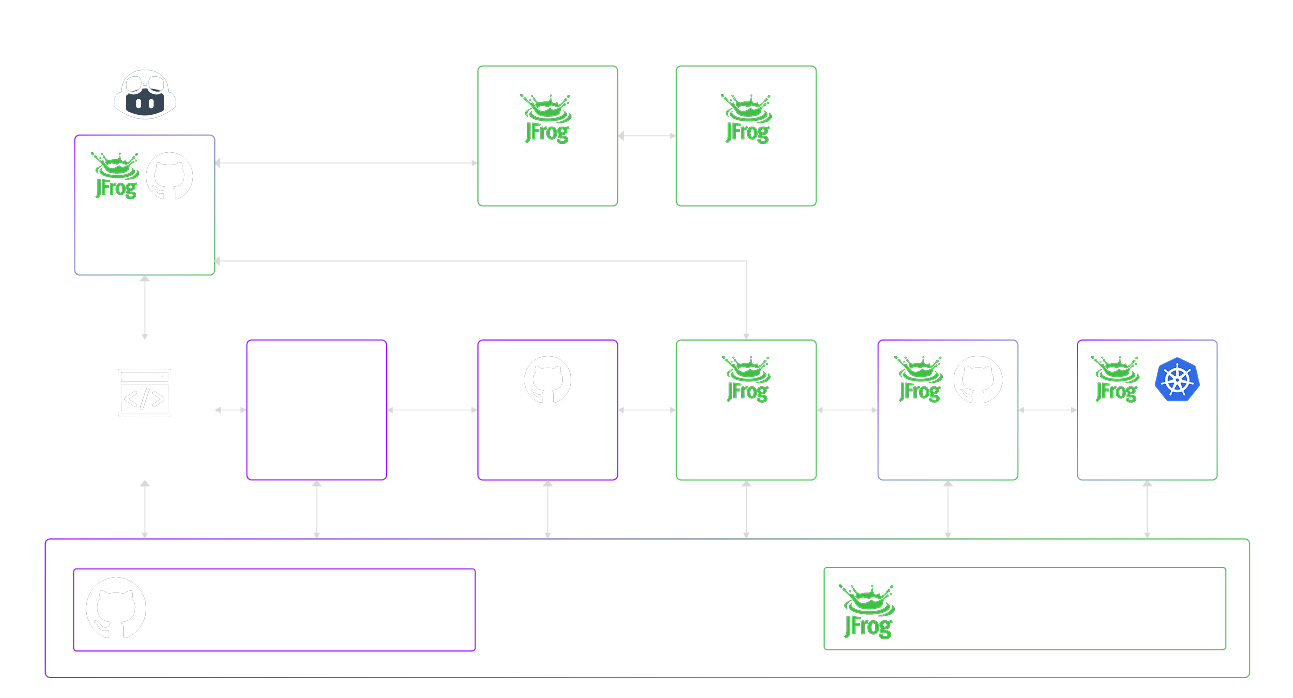
            Using GitHub Actions to CLI JFrog, AWS, GCP

            Mike's Notes

            What I'm learning today. I'm learning fast as I go. It's all new :)

            BoxLang will be the platform on which Pipi 10 runs.

            Resources

            References

            • Reference

            Repository

            • Home > Ajabbi Research > Library >
            • Home > Handbook > 

            Last Updated

            22/11/2025

            Using GitHub Actions to CLI JFrog, AWS, GCP

            By: Mike Peters
            On a Sandy Beach: 21/11/2025

            Mike is the inventor and architect of Pipi and the founder of Ajabbi.

            I finally figured out how to implement CI/CD so Pipi can autonomously manage all remote cloud platforms.

            • AWS
            • Azure
            • GCP
            • IBM
            • etc

            I was watching a video from the MLOPs community email that led me to JFrog (very useful), which led me to GitHub Actions. I had been looking for a way to enable Pipi 9 to autonomously control any Cloud Platform, but I did not know the correct technical terms, so I was asking the wrong questions. It's one of the disadvantages of being completely self-taught.

            Use GitHub Actions

            According to Google AI ..."

            GitHub Actions can effectively control both Google Cloud Platform (GCP) and Amazon Web Services (AWS) Command Line Interfaces (CLIs) within your CI/CD workflows. This enables automation of cloud resource management, deployments, and other cloud-related tasks directly from your GitHub repositories.

            • Controlling AWS CLI with GitHub Actions:
            • Configure AWS Credentials:
            • Store your AWS Access Key ID and Secret Access Key as GitHub Secrets in your repository settings.

            Use the aws-actions/configure-aws-credentials action to configure the AWS CLI with these secrets within your workflow. This action handles the secure setup of credentials for subsequent AWS CLI commands.

            Execute AWS CLI Commands:

            Once credentials are configured, you can use the run step in your workflow to execute any AWS CLI command.

            Example:

            Code

                    - name: Configure AWS Credentials
                      uses: aws-actions/configure-aws-credentials@v1
                      with:
                        aws-access-key-id: ${{ secrets.AWS_ACCESS_KEY_ID }}
                        aws-secret-access-key: ${{ secrets.AWS_SECRET_ACCESS_KEY }}
                        aws-region: us-east-1

                    - name: List S3 Buckets
                      run: aws s3 ls

            Controlling GCP CLI (gcloud) with GitHub Actions:

            Authenticate to GCP:

            Store your GCP Service Account Key (JSON format) as a GitHub Secret.
            Use the google-github-actions/auth action to authenticate your workflow to GCP using this service account key.

            Setup gcloud CLI:

            Use the google-github-actions/setup-gcloud action to install and configure the gcloud CLI within your workflow. You can specify the desired gcloud version and project ID.

            Execute gcloud Commands:

            After authentication and gcloud setup, you can use the run step to execute gcloud commands.

            Example:

            Code

                    - name: Authenticate to GCP
                      uses: google-github-actions/auth@v1
                      with:
                        credentials_json: ${{ secrets.GCP_SERVICE_ACCOUNT_KEY }}

                    - name: Setup gcloud CLI
                      uses: google-github-actions/setup-gcloud@v1
                      with:
                        project_id: your-gcp-project-id

                    - name: List GCS Buckets
                      run: gcloud storage ls

            Key Considerations:
            • Security: Always use GitHub Secrets to store sensitive credentials and implement the principle of least privilege for your cloud service accounts/IAM roles. Consider using OpenID Connect (OIDC) for enhanced security with AWS and GCP.
            • Actions Marketplace: Leverage pre-built actions from the GitHub Marketplace for common tasks like credential configuration and CLI setup, as demonstrated above.
            • Error Handling: Include error handling and logging in your workflows for better debugging and reliability.
            • Idempotency: Design your cloud operations to be idempotent, ensuring that running the workflow multiple times produces the same desired state without unintended side effects.

            JFrog

            JFrog looks great. Not cheap, but no one is better at security than the Israelis. They are the best in the world. So using their kit is a no-brainer.

            There is no free tier, so plan for future use.

            Next Question

            • Pipi can use CFML to easily output any of the code listed above.
            • How does that generated code then get into GitHub Actions?
            • So Pipi 9 can autonomously control GitHub Actions. (or GitLab, etc)
            • Would BoxLang do the job?
            • Am I using the correct technical terms?

            Interesting examples

            # This workflow uses actions that are not certified by GitHub.
            # They are provided by a third-party and are governed by
            # separate terms of service, privacy policy, and support
            # documentation.

            # GitHub recommends pinning actions to a commit SHA.
            # To get a newer version, you will need to update the SHA.
            # You can also reference a tag or branch, but the action may change without warning.

            name: Build and Deploy to GKE

            on:
              push:
                branches:
                  - main

            env:
              PROJECT_ID: ${{ secrets.GKE_PROJECT }}
              GKE_CLUSTER: cluster-1    # Add your cluster name here.
              GKE_ZONE: us-central1-c   # Add your cluster zone here.
              DEPLOYMENT_NAME: gke-test # Add your deployment name here.
              IMAGE: static-site

            jobs:
              setup-build-publish-deploy:
                name: Setup, Build, Publish, and Deploy
                runs-on: ubuntu-latest
                environment: production

                steps:
                - name: Checkout
                  uses: actions/checkout@v5

                # Setup gcloud CLI
                - uses: google-github-actions/setup-gcloud@1bee7de035d65ec5da40a31f8589e240eba8fde5
                  with:
                    service_account_key: ${{ secrets.GKE_SA_KEY }}
                    project_id: ${{ secrets.GKE_PROJECT }}

                # Configure Docker to use the gcloud command-line tool as a credential
                # helper for authentication
                - run: |-
                    gcloud --quiet auth configure-docker

                # Get the GKE credentials so we can deploy to the cluster
                - uses: google-github-actions/get-gke-credentials@db150f2cc60d1716e61922b832eae71d2a45938f
                  with:
                    cluster_name: ${{ env.GKE_CLUSTER }}
                    location: ${{ env.GKE_ZONE }}
                    credentials: ${{ secrets.GKE_SA_KEY }}

                # Build the Docker image
                - name: Build
                  run: |-
                    docker build \
                      --tag "gcr.io/$PROJECT_ID/$IMAGE:$GITHUB_SHA" \
                      --build-arg GITHUB_SHA="$GITHUB_SHA" \
                      --build-arg GITHUB_REF="$GITHUB_REF" \
                      .

                # Push the Docker image to Google Container Registry
                - name: Publish
                  run: |-
                    docker push "gcr.io/$PROJECT_ID/$IMAGE:$GITHUB_SHA"

                # Set up kustomize
                - name: Set up Kustomize
                  run: |-
                    curl -sfLo kustomize https://github.com/kubernetes-sigs/kustomize/releases/download/v3.1.0/kustomize_3.1.0_linux_amd64
                    chmod u+x ./kustomize

                # Deploy the Docker image to the GKE cluster
                - name: Deploy
                  run: |-
                    ./kustomize edit set image gcr.io/PROJECT_ID/IMAGE:TAG=gcr.io/$PROJECT_ID/$IMAGE:$GITHUB_SHA
                    ./kustomize build . | kubectl apply -f -
                    kubectl rollout status deployment/$DEPLOYMENT_NAME
                    kubectl get services -o wide

            BoxLang and GitHub Actions

            According to Google AI ..."

            BoxLang projects can leverage GitHub Actions for Continuous Integration and Continuous Deployment (CI/CD) workflows. Ortus Solutions, the creators of BoxLang, provide a dedicated GitHub Action to simplify this process.

            Key features and steps for CI/CD with BoxLang and GitHub Actions:

            Setup BoxLang GitHub Action: This action streamlines the setup of the BoxLang Dynamic JVM Language runtime within your CI/CD workflows. It handles the installation of Java, BoxLang binaries, and necessary modules. You can specify the desired BoxLang version (latest stable, snapshots, or specific versions) and automatically manage module installations.

            Code

                - name: Setup BoxLang
                  uses: ortus-boxlang/setup-boxlang@v1 # Use the appropriate version
                  with:
                    boxlang-version: 'latest' # Or a specific version like '1.0.0'
                    commandbox-version: 'latest' # Optional: if you use CommandBox
                    install-modules: 'my-module,another-module' # Optional: install specific BoxLang modules

            Define Workflow in YAML: Create a YAML file in your repository's .github/workflows directory to define your CI/CD workflow. This file specifies the events that trigger the workflow (e.g., push to main, pull request), the jobs to run, and the steps within each job.

            Build and Test: Within your workflow, you can define steps to build your BoxLang project, run unit tests, and perform any other automated tests. The setup-boxlang action ensures the BoxLang environment is ready for these tasks.

            Deployment (CD): For continuous deployment, you can add steps to deploy your BoxLang application to a target environment (e.g., a server, cloud platform like AWS Lambda). This might involve building a deployable artifact, uploading it, and triggering deployment scripts or services.

            Code

                - name: Build BoxLang Project
                  run: boxlang build # Or your specific build command
                - name: Run Tests
                  run: boxlang test # Or your specific test command
                - name: Deploy to AWS Lambda
                  # Example using a custom script or another action for deployment
                  run: ./deploy-to-lambda.sh
                  env:
                    AWS_ACCESS_KEY_ID: ${{ secrets.AWS_ACCESS_KEY_ID }}
                    AWS_SECRET_ACCESS_KEY: ${{ secrets.AWS_SECRET_ACCESS_KEY }}

            Secrets Management: Store sensitive information like API keys or deployment credentials in GitHub Secrets and securely access them within your workflow using expressions like ${{ secrets.MY_SECRET_NAME }}.

            By using the setup-boxlang GitHub Action, the process of integrating BoxLang into your CI/CD pipelines becomes significantly simplified, allowing you to focus on developing your application rather than managing environment setup.

            Progress on the rack

            Mike's Notes

            Some notes on building out the first server rack cabinet.

            Resources

            References

            • Reference

            Repository

            • Home > Ajabbi Research > Library >
            • Home > Handbook > 

            Last Updated

            13/09/2025

            Progress on the rack

            By: Mike Peters
            On a Sandy Beach: 04/09/2025

            Mike is the inventor and architect of Pipi and the founder of Ajabbi.

            Building out the first server 45U rack cabinet to host Pipi 9 has been a slow process. Mainly because I was working on other things. Pipi 9 works a bit like a render farm, so it will not be connected to the internet for security reasons and will batch-create products that can be shared via GitHub.

            Reusing

            There is a significant amount of old rack gear from Pipi 4 in storage that is still usable, which I need to locate and either put to use or dispose of.

            • KVM switch.
            • Power distribution board.
            • Shelving.
            • Air cooling.
            • Cabling.
            • Network Switches.
            • Monitor.
            • 4 old Win servers.

            Buying new

            I was able to obtain some more gear this week.

            • 16GB RAM 64-bit Windows Server.
            • Rack Cabinet LCD Monitor Mount Bracket.

            The small 16GB RAM server consumes low power, allowing it to run continuously and regulate the entire system. There are enough older servers that can be reused and switched on/off for batch jobs. They will do till they get replaced by better gear.

            Need

            What I don't have is

            • Smart UPS.
            • Rack keyboard.

            The next job

            • Making a standard Java 21 + BoxLang install bundle to put on all machines and run Pipi 9 CFML.
            • Learn as I go.